
To activate your Data-Only eSIM, you will be required to login to your Mobal online account: www.mobal.com/myaccount
Once you have logged in to your account, simply visit the Services section and click on the Activate button found next to the relevant eSIM product.
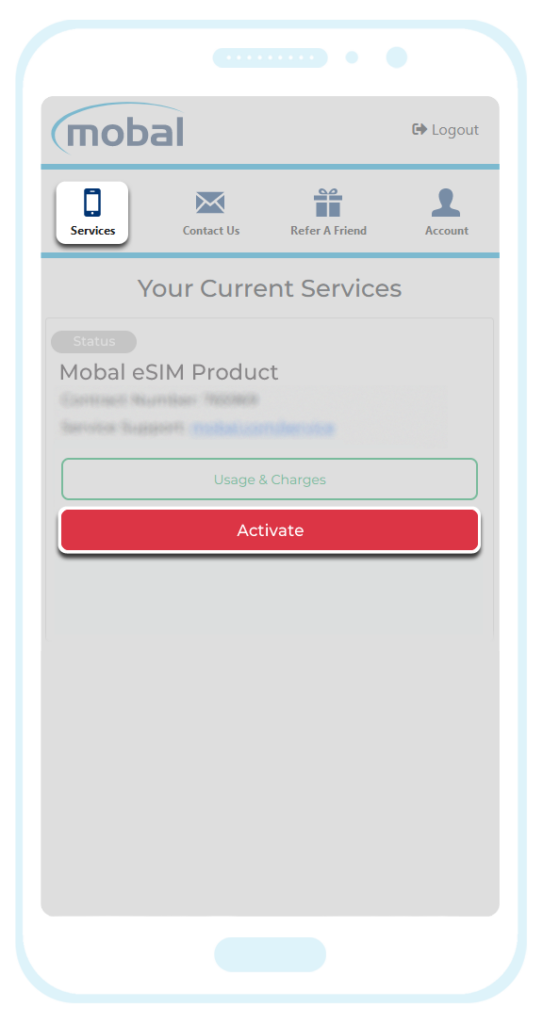
After clicking on the “Activate” button and confirming your device is eSIM compatible, you will be asked to choose an activation date and you can then submit your request for processing.
If you choose a future activation date, you will receive an email (with the subject “Your Mobal eSIM is ready!”) approximately 24 hours before your chosen activation date.
If you request immediate activation, you will receive an email (with the subject “Your Mobal eSIM is ready!”) within approximately 15 minutes.
Confirmation Email (Subject: “Your Mobal eSIM is ready!”)
Once your eSIM has been activated for the requested date, you will receive an email similar to the example shown below (that starts with “Your eSIM is Active“) –
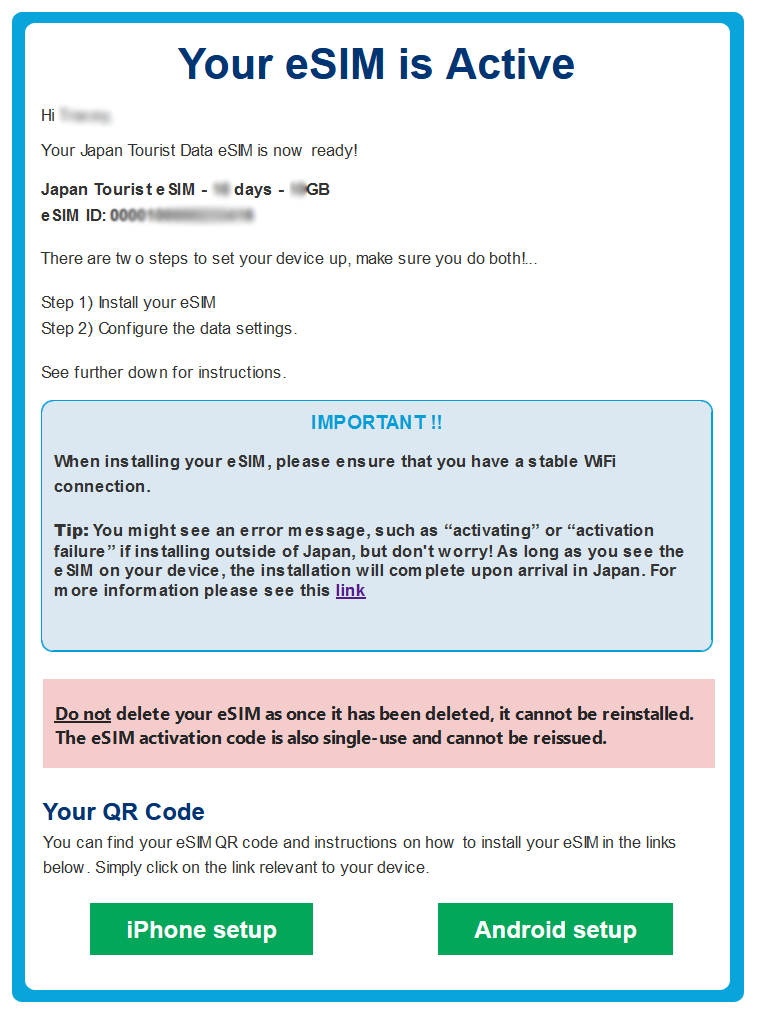
Simply scroll down the email and click on the iPhone Setup button or the Android Setup button.
Important Note: When installing the eSIM, please ensure that your device is connected to WiFi and that the Airplane/Flight Mode feature on your device is disabled
You can then install the eSIM via the QR code that’s shown or you can install the eSIM manually by following the instructions / entering the information that’s shown.
For additional instructions on how to complete the installation process (via the QR code or by entering the details manually) please visit the following link: Installation Guide
Once the eSIM has been installed on your device, your data plan will officially begin from the day that the eSIM connects to the network within Japan.